1. Navigate to https://viff.org/

2. Click "Sign In"

3. Enter your email address and click "Continue With Elevent"
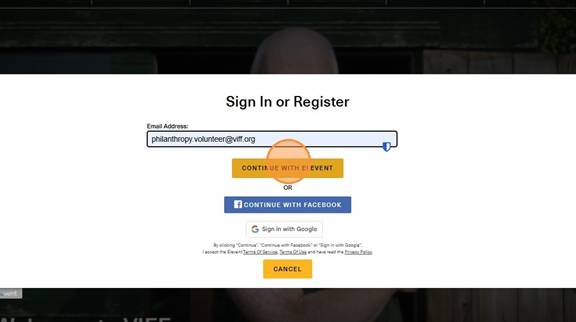
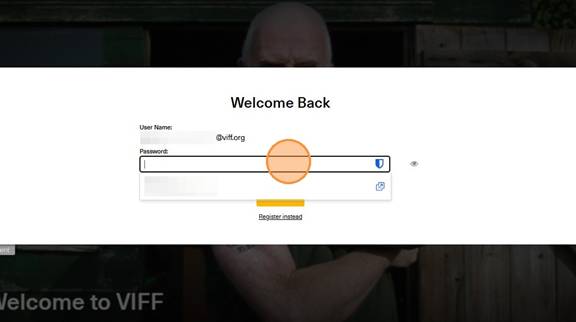
4. Enter your password and click sign in.
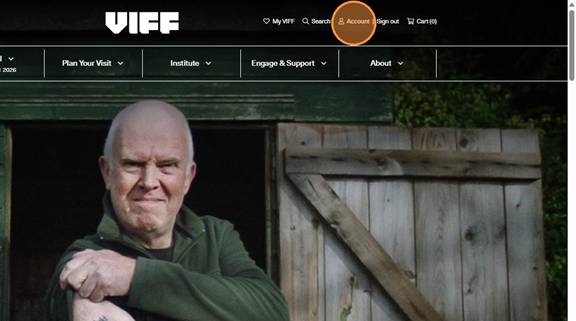
5. Once you are logged in, click "Account"
6. Click "here" to view your full Elevent account
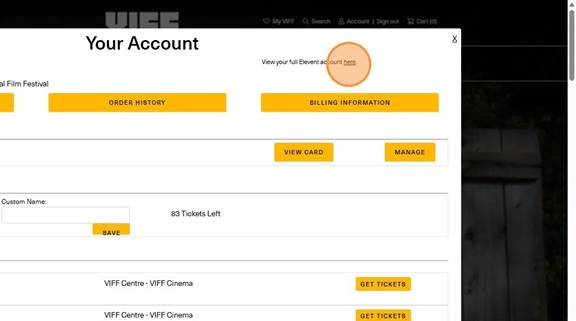
7. This will prompt you to our Ticketing website, Elevent. It may get you to sign in again, so use the same log in as you used on viff.org
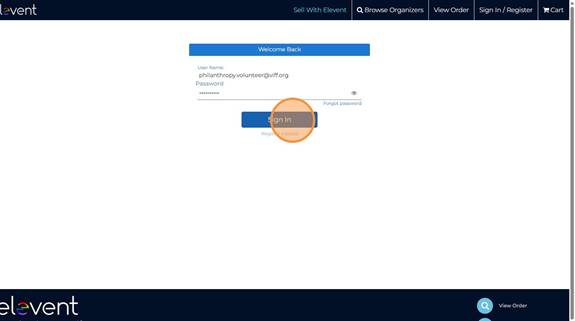
8. Here you will see your account information and your upcoming events. To cancel a ticket in your package, click "Your Packages"
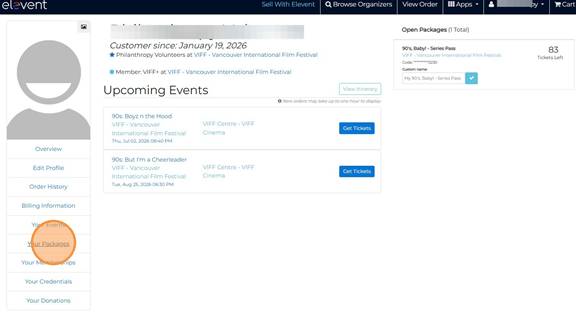
9. Click "Cancel" next to the ticket you wish to remove
10. Click "Confirm Cancellation"
11. Here, you will see how many tickets you have used and how many tickets you have left to book after cancelling your unwanted ticket!
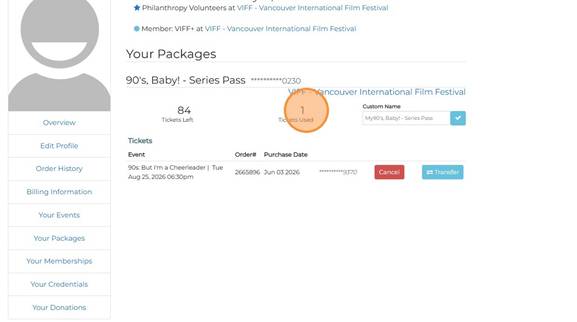
If you cancel a ticket, you will automatically be able to re-book a new ticket!
If you are needing to cancel any single tickets, please contact our box office via email at feedback@viff.org or on the phone at 604-683-3456 (12pm - 5pm).
Was this article helpful?
That’s Great!
Thank you for your feedback
Sorry! We couldn't be helpful
Thank you for your feedback
Feedback sent
We appreciate your effort and will try to fix the article