Head over to viff.org
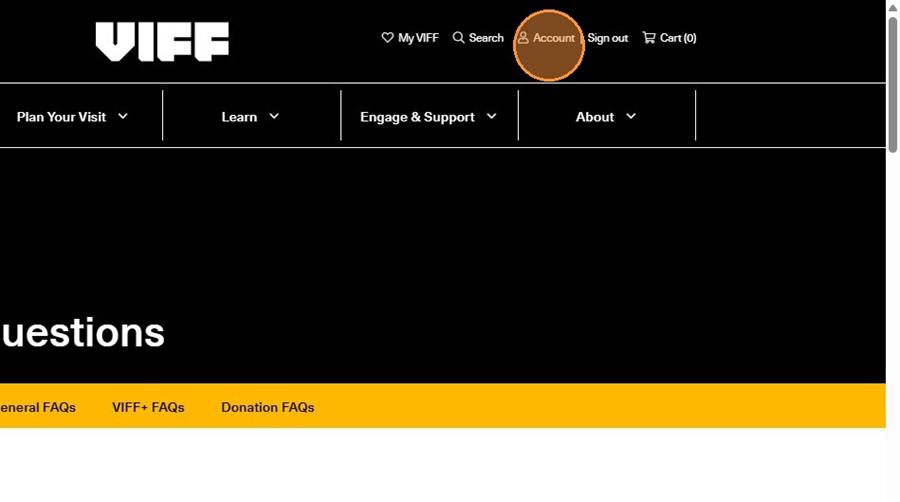
Click "Account" on the top right hand-side of the page. If you haven't logged in already, this is where you would log in as well.
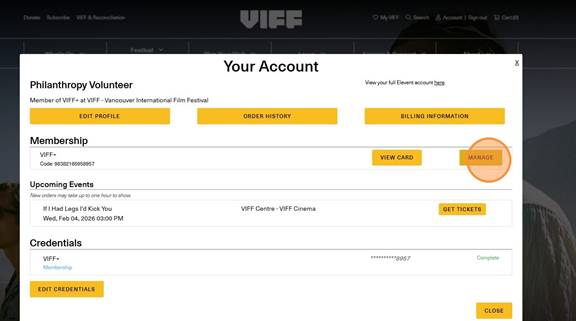
Click "Manage" next to your VIFF+ membership.
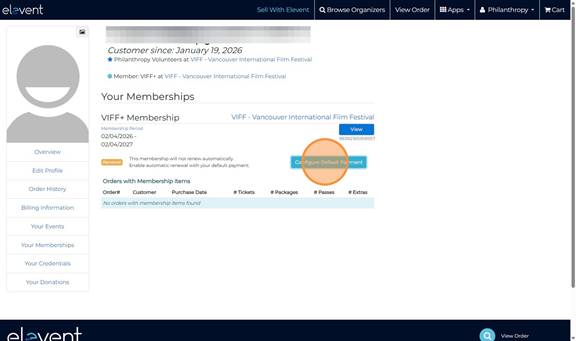
This will redirect you to a new page. Here you'll be able to see how long y our membership is active for.
On that page, click "Configure Default Payment" to start setting up auto-renew.
If you don't have this portion filled out already, you must save your billing information before you can set up auto-renew. If you already have, skip the next two steps.
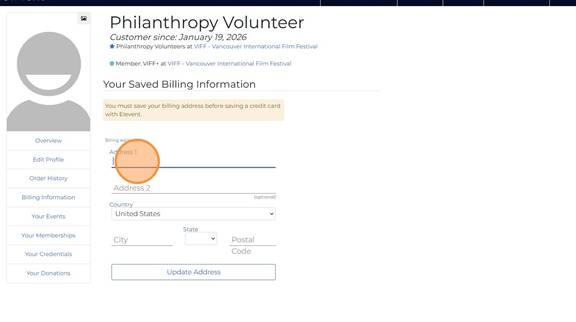
Click "Update Address"
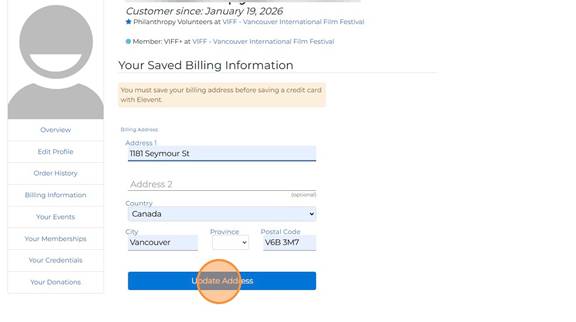
Once your address is saved, it will prompt you to enter your card information.
Click "Manage" next to your VIFF+ membership.
This will redirect you to a new page. Here you'll be able to see how long y our membership is active for.
On that page, click "Configure Default Payment" to start setting up auto-renew.
If you don't have this portion filled out already, you must save your billing information before you can set up auto-renew. If you already have, skip the next two steps.
Click "Update Address"
Once your address is saved, it will prompt you to enter your card information.
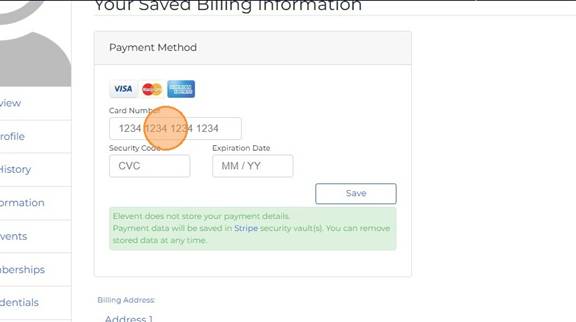
Click "Save"
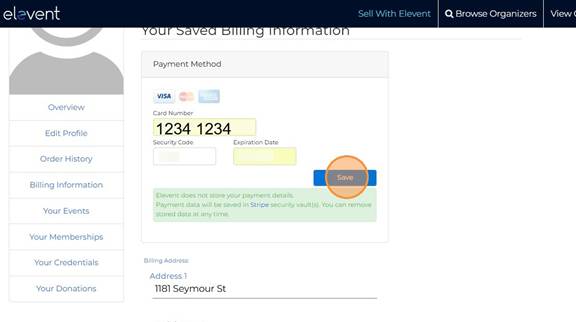
Once everything is filled out, click "Your Memberships"
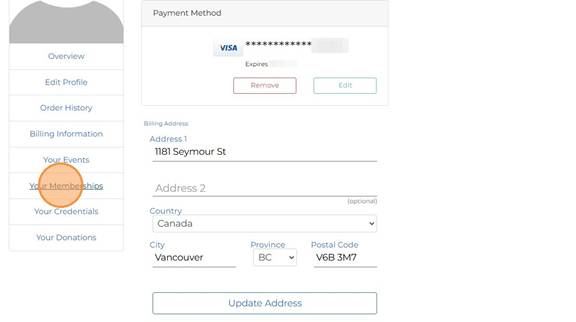
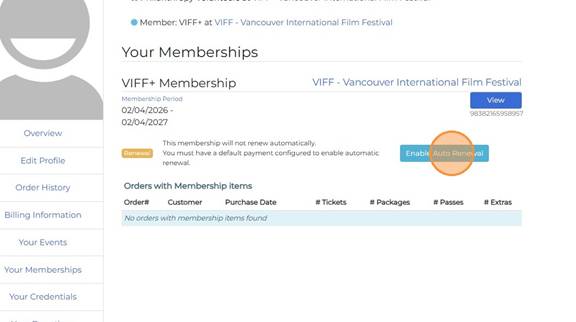
Now you will see "Enable Auto Renewal"!
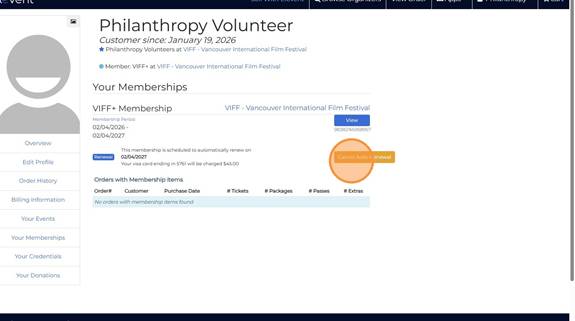
Click "Cancel Auto Renewal" at any time to cancel your auto-renewal.
Was this article helpful?
That’s Great!
Thank you for your feedback
Sorry! We couldn't be helpful
Thank you for your feedback
Feedback sent
We appreciate your effort and will try to fix the article