- Head over to viff.org

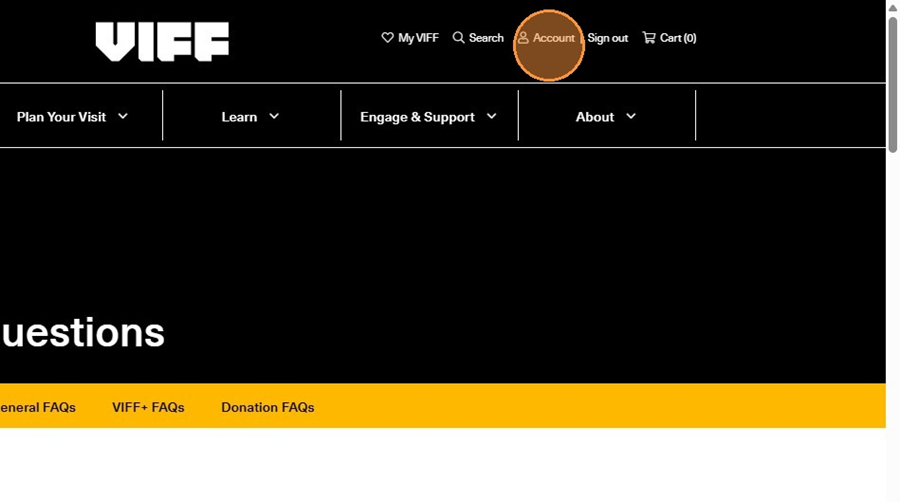
2. Click "Account" on the top right hand-side of the page. If you haven't logged in already, this is where you would log in as well.
3. Once you're logged in, click "Your Extras"
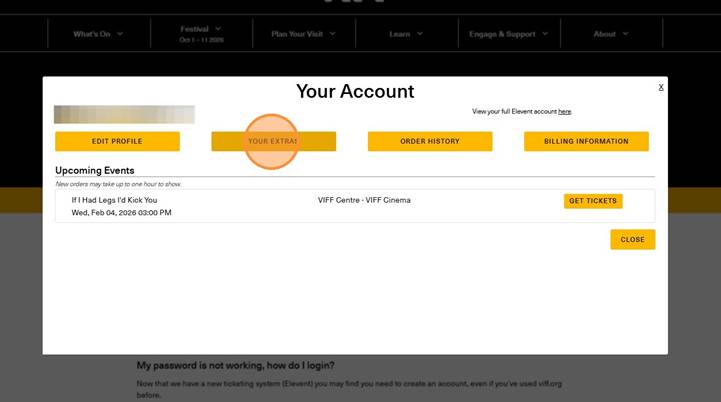
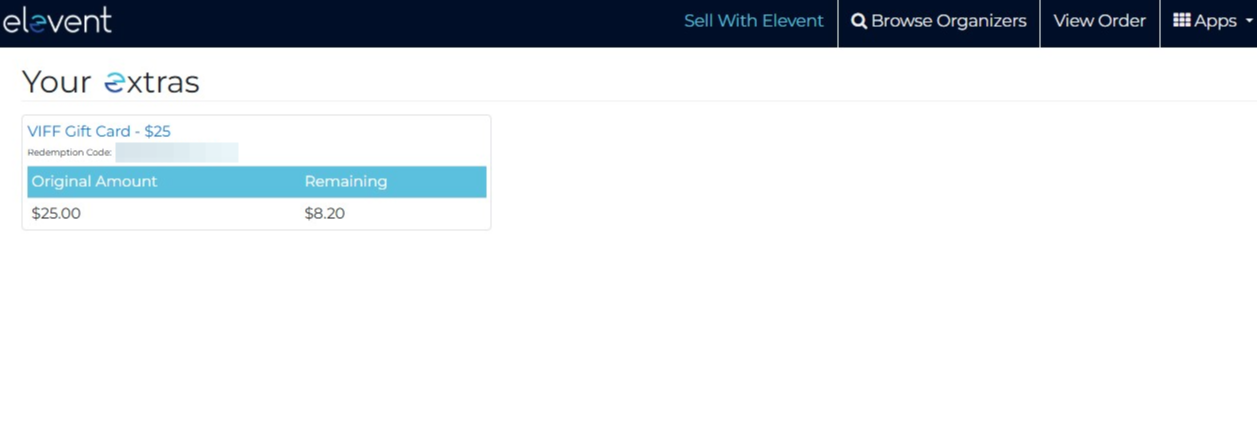
4. This will redirect you to a new page (it might prompt you to sign in again - if it does, go ahead and use the same login as you did on viff.org).
Here you will see your gift card, and how much money is still remaining!
Was this article helpful?
That’s Great!
Thank you for your feedback
Sorry! We couldn't be helpful
Thank you for your feedback
Feedback sent
We appreciate your effort and will try to fix the article