If you decide that you need to cancel a ticket in your ticket pack, there is a way to fix this!
First, make sure you are logged into our website:
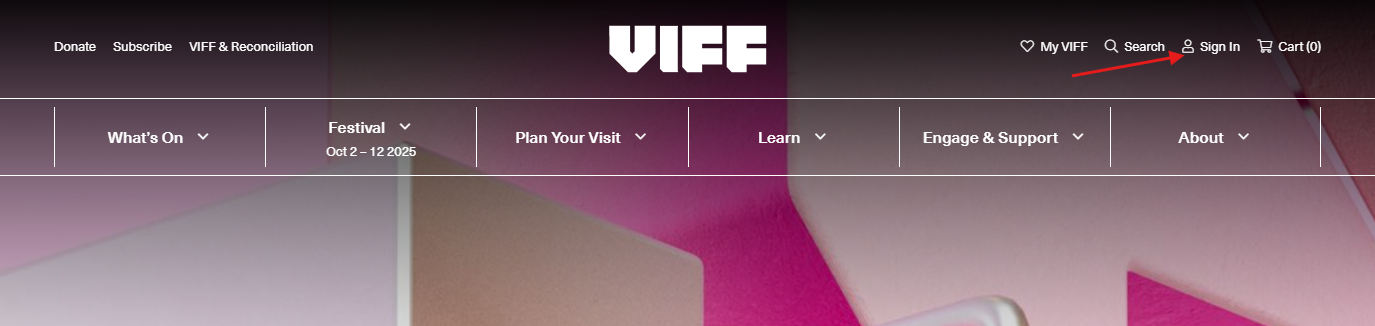
Once you're logged in, go into your account details:


Here you will see "View your full Elevent account here" - click that to open up your account!
This will open up a new page, into Elevent (our ticketing system).
Here is where you will see all the information with your account:
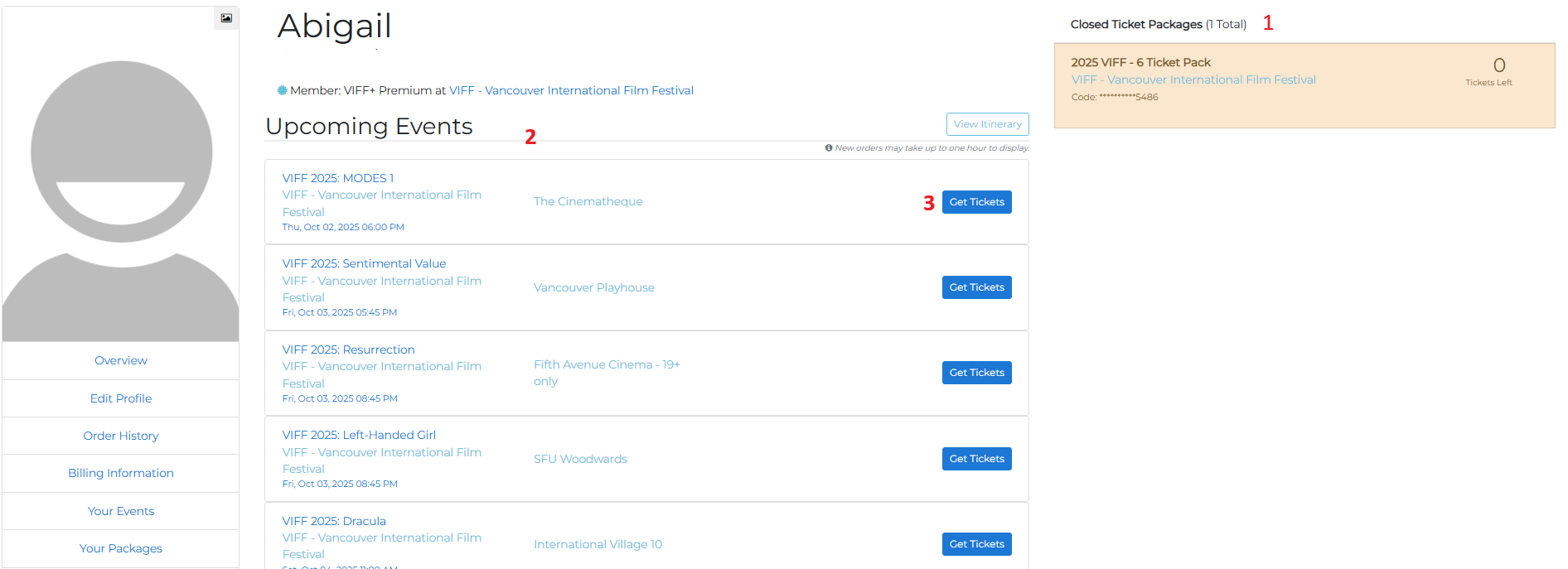
1.) This is where you can see how many tickets you have left on your package
2.) This is all your upcoming events
3.) You can pull all your ticket PDFs here
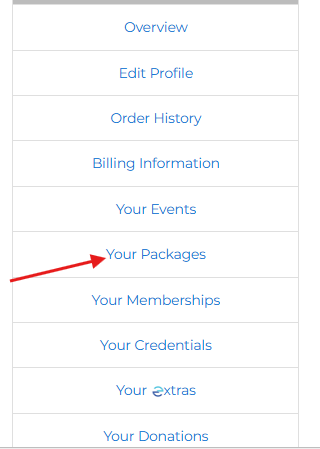
To cancel your ticket package tickets, you will go into "Your Packages"
From here, you can see all of your package tickets that you have booked! You can either cancel, or transfer your ticket to someone else.
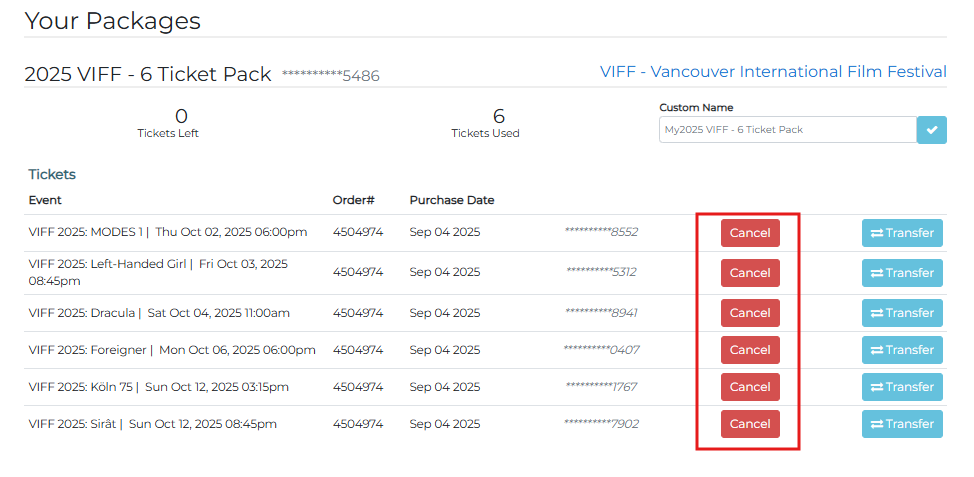
If you cancel a ticket, you will automatically be able to re-book a new ticket!
If you are needing to cancel any single tickets, please contact our box office via email at feedback@viff.org or on the phone at 604-683-3456 (12pm - 5pm).
Was this article helpful?
That’s Great!
Thank you for your feedback
Sorry! We couldn't be helpful
Thank you for your feedback
Feedback sent
We appreciate your effort and will try to fix the article